Doodly vs VideoScribe: Which Is Better in 2026?

Overview of Whiteboard Animation Software

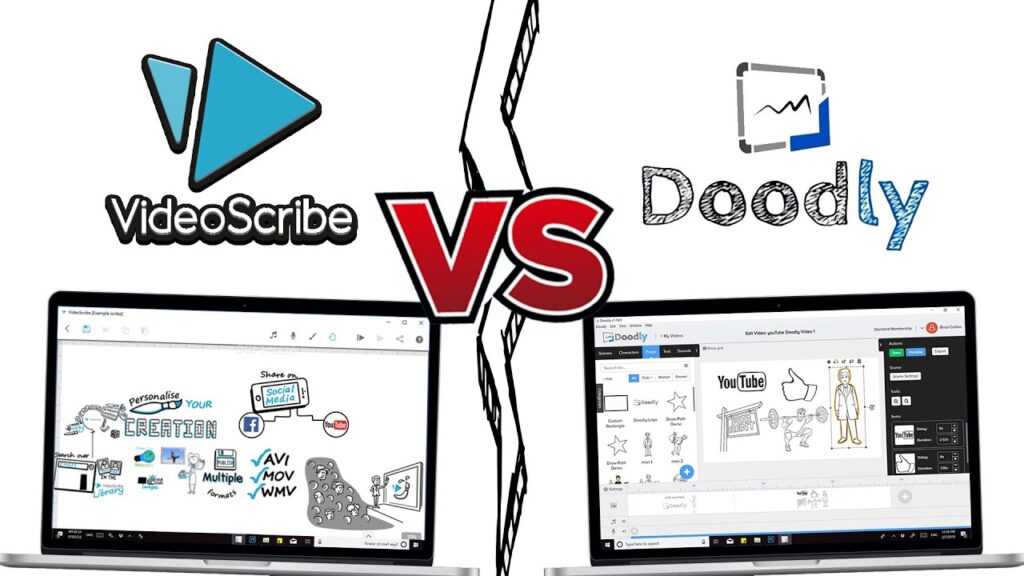
Whiteboard animation software has become increasingly popular for creating engaging and professional-looking videos. Two of the most well-known tools in this space are Doodly and VideoScribe. If you’re trying to decide which one is right for you, this article provides a practical comparison to help you make an informed decision.

Free VideoScribe workflow tool

Turn line art into VideoScribe-ready strokes

VideoScribe Tracer converts line art into red drawing-order strokes and exports SVG + Illustrator files for VideoScribe. Start with 5 free creations—no card required.

Try VideoScribe Tracer free →

Doodly vs VideoScribe: Feature Comparison

Ease of Use

Doodly: Doodly is known for its user-friendly interface, making it accessible even for beginners. Users appreciate how intuitive the software is, allowing them to create professional animations without a steep learning curve. The drag-and-drop functionality simplifies the process of adding and arranging elements on the canvas.

VideoScribe: VideoScribe also prides itself on being easy to use. Its straightforward setup is often praised by users who need to produce animations quickly. The interface is clean and intuitive, which helps users navigate through the features without much hassle.

Customization Options

Doodly: Doodly provides a range of hand styles, drawing tools, pre-made images and scenes. It is approachable for fast projects, although highly customized artwork may require extra preparation.

VideoScribe: VideoScribe supports custom images and SVG imports, giving users more control over personalized artwork and drawing workflows.

If you create custom artwork for VideoScribe, use our VideoScribe Tracer to convert line art into stroke-ready SVG files without manually retracing every image.

Integration with Other Tools

Doodly: Doodly is primarily a standalone software with limited integration options. It allows for exporting videos in different formats but doesn’t offer extensive integration with other animation or video editing tools.

VideoScribe: VideoScribe offers better integration possibilities. It can be used alongside software like Adobe Illustrator and After Effects, enabling users to create and refine animations in a more comprehensive workflow. This is particularly beneficial for those looking to produce high-quality, polished videos.

Pricing Comparison

Compare the current official plans

Doodly and VideoScribe both use paid plans, but pricing, trial availability, export limits and included asset libraries can change. Before choosing, compare each company’s current official plans and calculate the total cost for the features you actually need.

For a professional VideoScribe workflow, also consider whether you need custom SVG artwork, drawing-order control, team collaboration and integration with Illustrator or other production tools.

Doodly user feedback

Users commonly value Doodly’s approachable interface and library of ready-made assets. The main trade-off is that highly customized artwork and workflows may require extra preparation.

VideoScribe user feedback

VideoScribe is often chosen for its familiar whiteboard workflow, SVG imports and flexibility for custom assets. The best fit depends on how much control you need over drawing order, asset preparation and exports.

Personal Experience

Personal Experience

Based on our production experience, VideoScribe is the stronger choice when a project needs custom artwork, SVG imports and a workflow that can connect with tools such as Adobe Illustrator. Its SVG import workflow is especially useful when you need original assets rather than only pre-made library images.

Preference for VideoScribe

VideoScribe allows greater flexibility with custom scenes and imported artwork. For creators who produce their own line art, drawing-order preparation is often the most time-consuming step.

Customization and Integration

Pairing VideoScribe with Illustrator or a dedicated tracing tool creates a more efficient professional workflow. VideoScribe Tracer is designed specifically to turn line art into stroke-ready SVG files for this process.

Choosing between Doodly and VideoScribe depends on your workflow. Doodly is a practical option when you prioritize a ready-made asset library and a straightforward drag-and-drop experience. VideoScribe is the stronger fit when you need custom SVG artwork, drawing-order control and a workflow that connects with other production tools.

For custom assets, pairing VideoScribe with a dedicated tracing workflow can save substantial manual preparation time.

Already using VideoScribe? Try VideoScribe Tracer free and turn your own line art into drawing-ready SVG strokes.

Get Your Free Consultation Today

Blog